i love your profile!!! i've used your codes several times but if it's not weird to ask, how did you change the favicon icons on your navbar? i've seen several profiles with it and i wonder :oo (and i specifically mean the fa icons, not gifs)
Hiii!! I know im not the person you're asking, but I have a solution if youre still looking, since I was just doing this haha.
Solution:
Go to fontawesome and find the symbol you want to use (unfortunately, can't use any pro or pro+ symbols) copy the four digit code at the top of the icon's page, that'll be how the code understands what icon you want to use. Then you can just copy and paste this code into the CSS section of your page:
/*Fav Notifications*/
.navbar-notifications-group .fi-heart:before,
.dropdown-menu-right[id="dropdownNotifications"] .fi-heart:before {
font-family: 'Font Awesome 5 Pro';
content: "\f4be";
font-weight: 600;
}
/*Friend Activity*/
.navbar-notifications-group .fi-star:before,
.dropdown-menu-right[id="dropdownNotifications"] .fi-star:before {
font-family: 'Font Awesome 5 Pro';
content: "\f762";
font-weight: 600;
}
/*Bulletins*/
.navbar-notifications-group .fi-list:before,
.dropdown-menu-right[id="dropdownNotifications"] .fi-list:before {
font-family: 'Font Awesome 5 Pro';
content: "\e533";
font-weight: 600;
}
/*Comments*/
.navbar-notifications-group .fi-comments:before,
.dropdown-menu-right[id="dropdownNotifications"] .fi-comments:before {
font-family: 'Font Awesome 5 Pro';
content: "\f521";
font-weight: 600;
}
/*Private Communications*/
.navbar-notifications-group .fi-mail:before,
.dropdown-menu-right[id="dropdownNotifications"] .fi-mail:before {
font-family: 'Font Awesome 5 Pro';
content: "\f4ba";
font-weight: 600;
}/*Successful World Notification*/
.navbar-notifications-group>.btn[href="https://toyhou.se/~inbox/worlds"] .fi-web:before,
.dropdown-menu-right[id="dropdownNotifications"]>.dropdown-item[href="https://toyhou.se/~inbox/worlds"] .fi-web:before {
font-family: 'Font Awesome 5 Pro';
content: "\f186";
font-weight: 600;
}
/*Character Transfers*/
.navbar-notifications-group .fi-male:before,
.dropdown-menu-right[id="dropdownNotifications"] .fi-male:before {
font-family: 'Font Awesome 5 Pro';
content: "\e4fa";
font-weight: 600;
}
/*Pending World Requests*/
.navbar-notifications-group>.btn[href="https://toyhou.se/~inbox/requests"] .fi-web:before,
.dropdown-menu-right[id="dropdownNotifications"]>.dropdown-item[href="https://toyhou.se/~inbox/requests"] .fi-web:before {
font-family: 'Font Awesome 5 Pro';
content: "\f6c3";
font-weight: 600;
}
This is just a copy of the CSS I use, but to change to your own icons, replace the four-digit code after the \ in each "content:" section to the FA code you choose!
oh this is lovely! and i appreciate the help, but i was referring to the "profile, forums, browse, submit" icons ^__^;; this is still really useful though. thank you!!!
here's all my header stuff! not labeled but its pretty intuitive, but the first 4 is the nav buttons specifically (also i changed the font sizes to make the sizing look better for those specific icons, you can remove those) you can also specify these more if a header button overlaps with another, just ask me and i can help
/* ICON NEXT TO SIDEBAR USERNAME END */
.header .fa-home::before {
content:'\f4c9';
}
.header .fa-comments::before {
font-size: 15;
content:'\e5c8';
}
.header .fa-search::before {
font-size: 14;
content:'\e65f';
}
.nav-link.dropdown-toggle .fa-search::before {
font-size: 16.5px;
content:'\e65f';
}
.header .fa-book::before {
content:'\f499';
}
.navbar-right .fi-web::before, .fa-globe::before{
font-family: 'Font Awesome 5 Pro';
content:'\f57d';
font-weight: 600
}
.header .fa-plus:before {
content:"\f7ff";
font-size:15px;
}
.header .fa-plus {
transform: rotate(45deg);
}
.header .fa-clock::before {
content:'\f34e';
}
.header .fa-newspaper::before {
content:'\f0ca';
}
.header .fa-user::before {
content:'\e1b0';
}
.header .fa-fire::before {
content:'\e003';
}
.header .fa-binoculars::before {
content:'\f21e';
}
.dropdown-item[href="https://toyhou.se/~images/multi-upload"] .fa-image:before{
font-family: 'Font Awesome 5 Pro';
font-weight: 600;
content:'\f87c';
}
.navbar-right .fa-inbox::before {
font-family: 'Font Awesome 5 Pro';
font-size: 16;
font-weight: 600;
content:'\f227';
}
.navbar-right .fi-male::before {
font-family: 'Font Awesome 5 Pro';
font-weight: 600;
content:'\f4bf';
}
.navbar-right .fi-heart::before {
font-family: 'Font Awesome 5 Pro';
font-weight: 600;
content:'\f762';
}
.navbar-right .fi-star::before {
font-family: 'Font Awesome 5 Pro';
font-weight: 600;
content:'\e065';
}
.navbar-right .fi-list::before {
font-family: 'Font Awesome 5 Pro';
font-weight: 600;
content:'\f0ca';
}
.navbar-right .fi-comments::before {
font-family: 'Font Awesome 5 Pro';
font-weight: 600;
content:'\e5c9';
}
.navbar-right .fi-mail::before {
font-family: 'Font Awesome 5 Pro';
content: "\f674";
font-weight: 600;
}
.character-name-badge .fa-bookmark::before {
content:'\e176';
}
.bulletin-header-content .fa-chart-pie::before {
content:'\e474';
}
.btn.btn-warning[href="https://toyhou.se/~inbox/worlds"] >.fi-web::before, .dropdown-item[href="https://toyhou.se/~inbox/worlds"] > .dropdown-item-title > .fi-web::before {
font-family:'Font Awesome 5 Pro';
font-weight:600;
content: '\e027';
}
i.fi-torso.user-name-icon:before {
font-family: 'Font Awesome 5 Pro';
font-weight: 600;
content: "\f192";
}
i.fi-star.user-name-icon:before {
font-family: 'Font Awesome 5 Pro';
font-weight: 600;
content: "\f2e5";
}
hi, sorry if this is the wrong place to ask for this, but i was wondering ig i could use your thumbnail shine hover snippet in a f2u/pwyw (starts at $0) css code of mine? also, do you have a ko-fi or a way to take tips bc i'd like to give some support for all the lovely work you do regardless!
This user is not visible to guests.
Ah im glad it looks cute thankies :)!!! i use this code for it https://toyhou.se/24282725.free-page-banners-code i dont thiiiink i modified it too much beside maybe the height
such a huge fan of your profile's coding - i've been using your guides the past 2 days since i got premium and theyre so helpful tysm TwT!!
your profile is SO CUTE!!!!!! love all the css snippets youve made as well thank you so much for sharing them :3
This user is not visible to guests.
bounces like this!
.nav-link > .display-user-tiny img {
animation-name: hopper;
animation-duration: 1s;
animation-iteration-count: infinite;
}
@keyframes hopper {
0% {
transform:scale(1,1) translateY(0)
}
10% {
transform:scale(1.07,.9) translateY(0)
}
30% {
transform:scale(.9,1.1) translateY(-.19em)
}
50% {
transform:scale(1.05,.95) translateY(0)
}
57% {
transform:scale(1,1) translateY(-.05em)
}
74% {
transform:scale(1,1) translateY(0)
}
100% {
transform:scale(1,1) translateY(0)
}
}
uh do you just mean my primary color? thats this https://toyhou.se/29029070.replace-primary-bootstrap-css
This user is not visible to guests.
oh if you mean the roundedness , wow! you have an eye for detail! here ya go~
.img-thumbnail > img {
max-width:100%;
border-radius:.32rem
}
.img-thumbnail {
border-radius:.52rem;
}
.gallery-row .gallery-item .gallery-edit {
bottom:4px;
right:4px
}
.gallery-edit > .btn {
border-bottom-right-radius:.32rem
}
.gallery-edit .btn.btn-default.btn-sm {
margin-top: .2rem;
}
This user is not visible to guests.
this specific code looks like this!
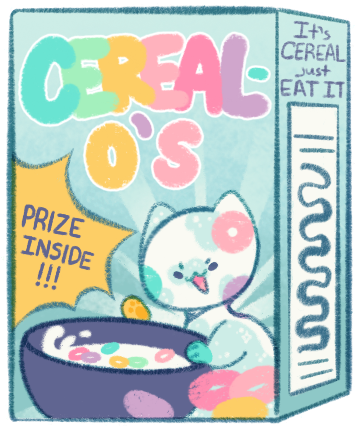
<a href="https://toyhou.se/4839746.cereal-cat"><img src="https://f2.toyhou.se/file/f2-toyhou-se/images/39908842_OpNepAOGEIY2vJ3.png" class="fr-fic fr-dib mt-1" width="100"></a>

Hello, I'm very sorry to ask since it seems you get a lot of questions about what codes you use for your profile :,D
I don't know if anyone's asked yet how you get your characters to have that shine on them when you hover over them? Also how you got a custom icon (the little cereal bowl and spoon by your username) :,D (I'm sorry for the questions, I quite literally just bought premium within the hour) Thank you for the help (˃̣̣̥ᯅ˂̣̣̥)
ahh im still working on that shine coooode, i wanna get it out next month im just working out some customization and simplification
the custom icon is this one https://toyhou.se/21305816.css-snicustom-username-icon and this one https://toyhou.se/21834738.css-siderbar-user-icon-f2u
Your profile is so pretty!! 💜 i really like how you have your ocs birthdays on your profile! Do you have the code for that actually? :3 and how did you add the image behind the navbar? its so cool!!
thank you! sorry for the late reply, holidays lol
I actually have the whole finished birthday code just neeeever up loaded it woooops i'll try and get that up maybe next month, i'll You!
the banner image is this!! https://toyhou.se/28708234.f2u-header-snippet
This user is not visible to guests.
This will take a bit!
navbar - uhhhhhhh the nav bar itself is not just an image lol its a combo of
- This stripe code https://toyhou.se/29300446.custom-striped-navbar-css
- a pink border on the bottom
- the mobile menu bar forced to be open with an image overlayed on it, the button hidden, and rounded on the corners
- font awesome icons added onto the edges of the nav bar elements for the stars and sparkles
all that code is like this separated from the rest of the code? i think? lol idk if it's like intuitive? or even what you want lol
.nav-mobile-menu {
border-width:4px 0;
border-color:#d76198;
background-image:url("https://f2.toyhou.se/file/f2-toyhou-se/images/87813151_gR0qZuNd178kwRX.png?1725028511")
}
@media screen and (min-width:768px) {
.navbar .nav-user-link .display-user-tiny:after {
font-family:'Font Awesome 5 Pro';
content:"";
visibility:visible;
color:#fff;
font-size:17px;
font-weight:600;
padding-left:1px;
text-shadow:.4px .4px 4px rgba(23,4,1,0.2)
}
.navbar-left:after {
font-family:'Font Awesome 5 Pro';
content:"";
visibility:visible;
color:#fff;
font-size:20px;
padding-top:3px;
font-weight:600;
text-shadow:.4px .4px 4px rgba(23,4,1,0.2)
}
.navbar-notifications-group:before {
font-family:'Font Awesome 5 Pro';
content:"";
visibility:visible;
color:#fff;
font-size:20px;
font-weight:600;
text-shadow:.4px .4px 4px rgba(23,4,1,0.2)
}
.navbar-right:before {
font-family:'Font Awesome 5 Pro';
content:"";
visibility:visible;
color:#fff;
font-size:36px;
padding-right:5px;
text-shadow:.4px .4px 4px rgba(23,4,1,0.2)
}
.navbar .nav-item,
.navbar .navbar-notifications,
.nav-item.dropdown {
padding-top:11px;
padding-bottom:11px
}
.navbar-collapse > .navbar-nav .btn {
margin-bottom:.16em
}
.hidden-md-up.nav-mobile-menu {
display:flex!important;
height:10px;
margin:0;
margin-bottom:.35rem;
border-bottom-left-radius:.5em;
border-bottom-right-radius:.5em;
border-bottom:1px solid #d76198
}
.header {
border-radius:0
}
.navbar.header {
margin-bottom:0
}
.hidden-md-up.nav-mobile-menu > .btn {
display:none
}
}
border-width:4px 0;
border-color:#d76198;
background-image:url("https://f2.toyhou.se/file/f2-toyhou-se/images/87813151_gR0qZuNd178kwRX.png?1725028511")

}
@media screen and (min-width:768px) {
.navbar .nav-user-link .display-user-tiny:after {
font-family:'Font Awesome 5 Pro';
content:"";
visibility:visible;
color:#fff;
font-size:17px;
font-weight:600;
padding-left:1px;
text-shadow:.4px .4px 4px rgba(23,4,1,0.2)
}
.navbar-left:after {
font-family:'Font Awesome 5 Pro';
content:"";
visibility:visible;
color:#fff;
font-size:20px;
padding-top:3px;
font-weight:600;
text-shadow:.4px .4px 4px rgba(23,4,1,0.2)
}
.navbar-notifications-group:before {
font-family:'Font Awesome 5 Pro';
content:"";
visibility:visible;
color:#fff;
font-size:20px;
font-weight:600;
text-shadow:.4px .4px 4px rgba(23,4,1,0.2)
}
.navbar-right:before {
font-family:'Font Awesome 5 Pro';
content:"";
visibility:visible;
color:#fff;
font-size:36px;
padding-right:5px;
text-shadow:.4px .4px 4px rgba(23,4,1,0.2)
}
.navbar .nav-item,
.navbar .navbar-notifications,
.nav-item.dropdown {
padding-top:11px;
padding-bottom:11px
}
.navbar-collapse > .navbar-nav .btn {
margin-bottom:.16em
}
.hidden-md-up.nav-mobile-menu {
display:flex!important;
height:10px;
margin:0;
margin-bottom:.35rem;
border-bottom-left-radius:.5em;
border-bottom-right-radius:.5em;
border-bottom:1px solid #d76198
}
.header {
border-radius:0
}
.navbar.header {
margin-bottom:0
}
.hidden-md-up.nav-mobile-menu > .btn {
display:none
}
}
if you want just an image there uhh you can just do like this?
#header {
background-image:url("IMAGE LINK");
}
BUT its not gonna be like super exact and may look weird on mobile? add background-size: contain; or background-size: cover; if you want too
Mobile toggle button - https://toyhou.se/19748228.css-snicustom-toggler-icon used this! unless you mean the mobile bar, that just the begining of the code i sent before
Sidebar Image - use this, it repeats down
.sidebar {
background-image: url("https://f2.toyhou.se/file/f2-toyhou-se/images/88928038_jxVpV0zycZbQrks.png?1727289110");
background-size: contain;
}
Image under logo - its tbh really shobby and has to be small and kinda looks really bad on the default logo and also you have to space everything out so the dropdowns dont clip(ithe spacing is in the first code i have) its kinda bad gulp
.navbar-brand:after {
content:url(https://f2.toyhou.se/file/f2-toyhou-se/images/79497429_6hfjOEUt0ELasc2.gif?1711119089);
text-indent:0;
display:block;
line-height:initial;
visibility:visible;
}
can you tell my code is super messy and my "just for me" stuff isnt optomized to be easily shared? i need to clean this thing BAD


This user is not visible to guests.
.side-nav:after {
background-image:url("https://f2.toyhou.se/file/f2-toyhou-se/images/19871913_kNcEl5ii9V7EBON.png?1595304702");
display:flex;
width:100%;
height:350px;
content:"";
background-size:contain;
background-repeat:no-repeat;
background-position:top
}
but this code is really finicky, css was NOT made for adding images like this
you can also try this one, this one has to be a bit small though
https://toyhou.se/~forums/16.htmlcss-graphics/585014.adding-images-underafter-sidebar?page=#post-8700250

This user is not visible to guests.
This user is not visible to guests.
UH SURE golly i didnt think anyone would be interested in them!! uhhh here ya go! they should be visable?
This user is not visible to guests.
my link didnt paste..... its so hard being an ipad toyhouse user https://toyhou.se/25253986.hi/26706623.ribbions
random comment, but i love how you customized your css! (also, there's any chance you can share a snippet for add a bg to the sidebard, need to add some pizazz on that on my side)
Hiii! I loved your css! I was looking at your profile and wanted to know what code makes the buttons bouncy when you click on them :0
sorry if this is already mentioned somewhere! I've been poking around your toyhouse a little and don't think I saw? I've been obsessed with the little chibis you've done for the candy dinos lately and I wonder if those are a commission option / if those are open? your art is so cute and I couldn't get them out of my head since I saw the first round!
Oh wow thank you very much! I think these chibis would beeee the same price as the sketches here https://toyhou.se/~bulletins/1523879.only-sketches-open-commissions i generally have them open all the time!
YOUR PROFILE IS TO DIE FOR 😭😭❤️❤️❤️ i love the colours, the vibes, everything!! it's truly eye candy :D
this was made by me + https://toyhou.se/LoopsiePages/favorites/317246 + https://toyhou.se/29029070.replace-primary-bootstrap-css
it's all really hodge podged lol if you want something specific i can link it or make a specific code for that element
Oh really? Just curious how much would a simple custom one cost? Im assuming its a commission lol
OH? id do it for free :3 i know id like it done free for me, thought i cant promise it would be great
I've been looking for a nuclear theme for a few months now with CSS (Nothing like super in your face or bright, just some mild things here and there) I tried my best with HTML on a character code with several hours of mixing codes together, however I cant get it to work for a profile lol (https://toyhou.se/18190162.nectur-olethros-bee) For example of what im talking about
oooo i see, dm me with this as well as what specific elements of code you were interested in me doing, i can pitch you some ideas from that
I would so love do be alerted the next time you open any kind of customs, I so so so adore your art and desperately want to get something designed by you!
i do have redesign comms open right now if youre interested! https://toyhou.se/~bulletins/1523879.open-commissions
Heya! Sorry for the bother, I just wanted to ask if you had comms or trades open? I’ve been dreaming with getting a design by you since forever, and I would love if it could be my cham! (I Dm’d on discord but I figured this way it might be easier lmao)
I hope this isn’t weird or anything but I really admire how much work and thought and love you put into all your ocs ncndkdj they’re all so fun to look at and you’ve got such a cute style to boot. I just really respect the dedication, and especially how much you put into cereal cat!! it’s inspiring ngl
i apologize in advance, sorry if u don't like profile comments ;; ))
this has probably been said more than once but i LOVE your artstyle! it's so soft an cutsey aaa!! i also really love your character designs, they're really pleasing to look at and i want to hug em so bad eee!!
Hey here's a cs that I think you might like for cereal cat https://toyhou.se/~world/42264.the-sketchwork-gallery
So sorry for the WAAAAAAY late reply, yeah! I could totally do a colored sketched! Who would you want me to draw?
Could you draw https://toyhou.se/6500896.marshmellow? or anyone from here: https://toyhou.se/ButterandBreadCrumbs/characters/folder:1204651
Who would you like me to draw?
LoopsiePages's Profile Comments